Stop flooding the context of your
CtxVault auto-offloads large pastes to a file. Your terminal gets the path, your AI reads it on demand. Nothing changes for every other app.
Claude Code's [Pasted text #N] still sends the full text.
Claude Code, Codex, and Gemini CLI all collapse large pastes in the input display. That keeps the line readable. It doesn't change what the model receives. Codex's own source names the placeholder "expanded on submit": a display cue, and the full text still goes out the moment you hit enter (codex-rs/tui/src/bottom_pane/chat_composer.rs).
How it works
Three small steps, none of them in your way.
- Copy: go over your line threshold, anywhere.
- File: CtxVault silently writes it to your vault folder.
- Path-paste: paste into your terminal and get a path, not the wall of text.
$ /Users/you/CtxVault/clip-2026-07-18-041.txtOne session, one folder, one path.
Collect Mode turns a whole research detour into a single line your agent can open.
- Start: press ⌃⌥⌘C. A bar appears at the notch and counts what you copy.
- Copy freely: every clip lands in one dated session folder, numbered in the order you copied it.
- End: press ⌃⌥⌘C again. The folder itself is on your clipboard, as a path and as a file, ready to paste anywhere.
01-clip-…txt
02-clip-…txt
03-clip-…txt
README.md
Every collect folder carries a README in plain English: what the folder is, when the session ran, and what each file was. Point an agent at the folder and it knows what it is reading.
Built for how you actually work in a terminal.
Three jobs, one goal: keep your AI's context clean.
Offload
Anything too big to paste goes to a file. What lands in your terminal is the path.
-
Notch Island
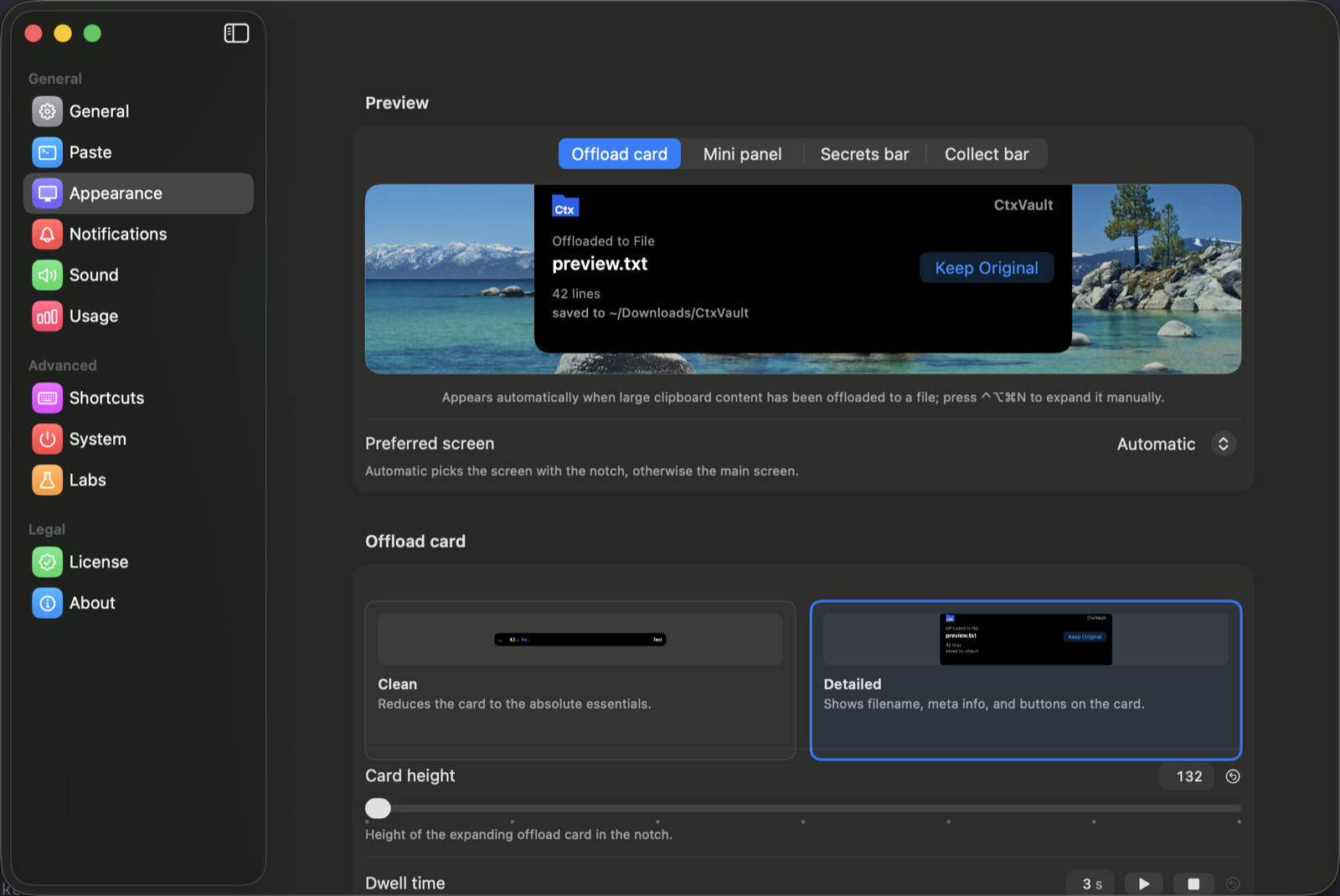
See every offload happen live, right at your notch.
-
Smart Terminal Detection
Only intercepts paste in your CLI tools. Everywhere else stays untouched.
Terminal, iTerm2, Warp, Ghostty, WezTerm, Kitty, Alacritty, Hyper.
-
Path Templates
Plain path,
@path, or your own format. -
History Browser
Search, preview, and re-copy anything you've offloaded.
Collect
A whole session in one folder, and one path at the end.
-
Collect Mode
Gather a whole session into one folder and hand over a single path when you are done.
Collect everything, or only what crosses your threshold. Your choice, everything by default.
-
Works Without a Notch
Mac mini or external display? Same island, as a floating pill: menu bar on Mac, system tray on Windows once it ships.
-
Sizes in Steps
Card height, panel width and panel height run on a ladder. Your card sits on step 6, not on 132 points.
The mini panel is set in visible lines, one to six, so you pick how much history you see at a glance.
-
Shortcuts Your Way
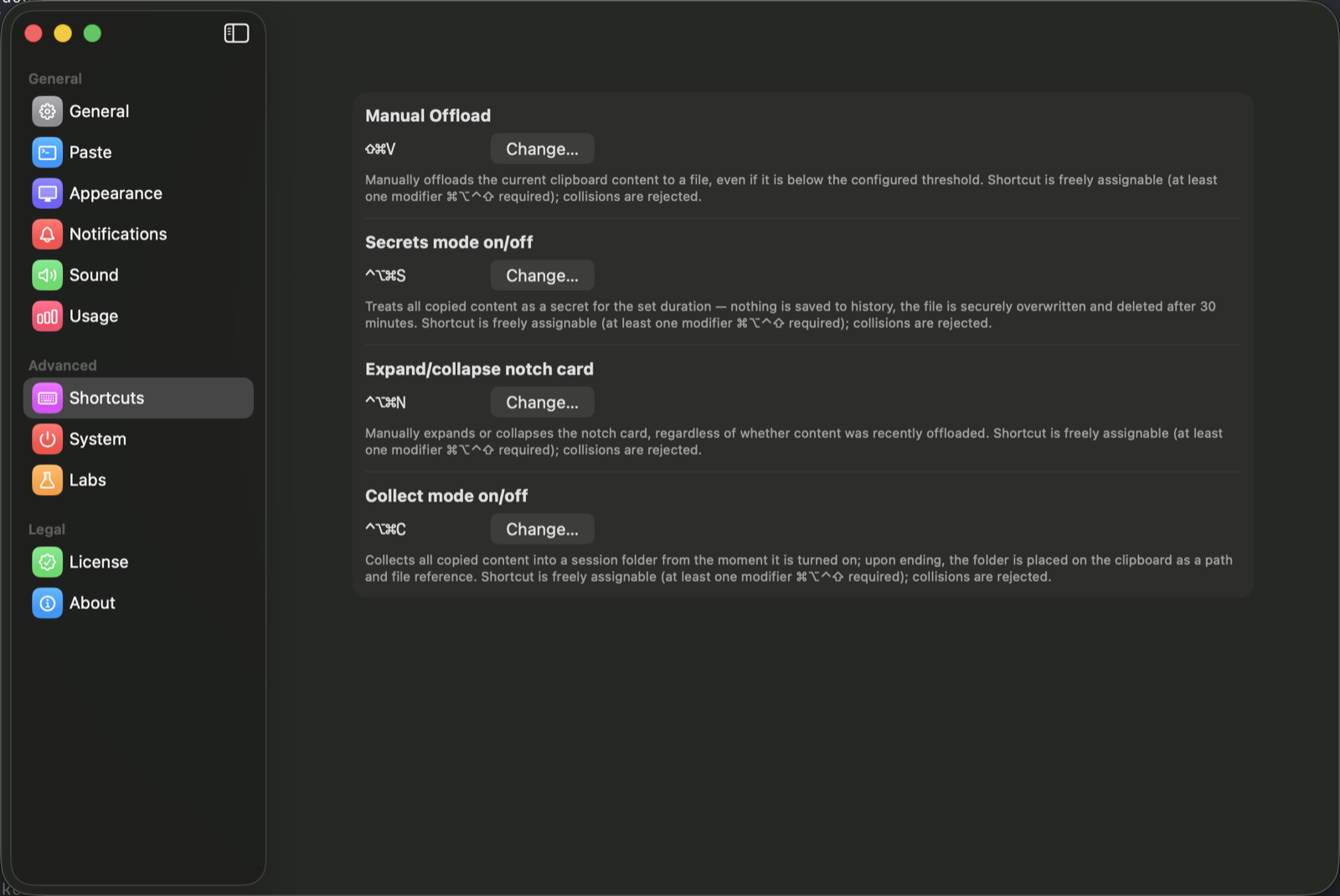
Every shortcut is yours to set, with a collision check against the app's own and the common system ones.
Shown the way macOS shows them: ⌃⌥⌘N, not spelled out.
Protect
What's secret stays out, and clears itself on its own.
-
Secrets Mode
Switch it on and the next clips never touch your history.
-
Auto-Cleanup
Old clips vanish on their own; set the retention window once.
-
Secure Overwrite
Files are securely overwritten and gone after 30 minutes.
-
Deleted After Restart
If the Mac restarts in between, anything recognised as a credential is deleted on the next launch.
Recall
Everything you offloaded stays one keystroke away.
-
Mini Panel
⌃⌥⌘N brings up your last clips with line counts and types, each with its own copy button.
-
All Paths
One button hands over every path in the panel at once, for when your agent needs the whole set.
-
Pause
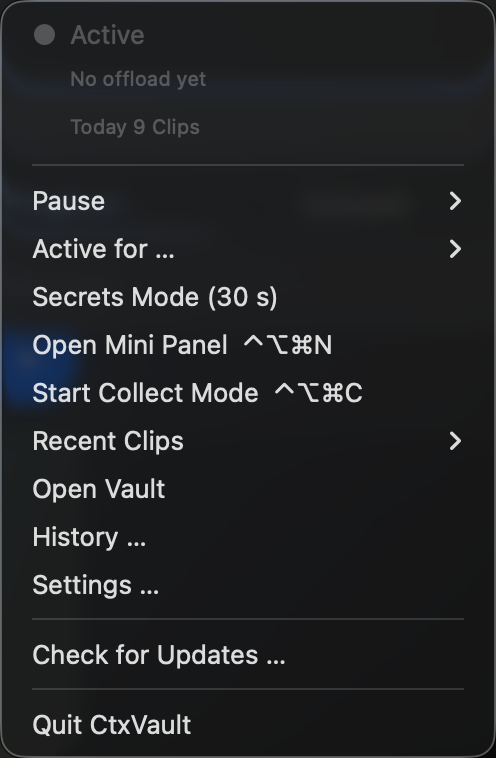
Stop watching the clipboard for a minute, five, or until you switch it back on.
-
Open History
The full browser, search and preview included, from the same panel.
What it actually looks like.
Screenshots straight out of version 1.1.7, nothing staged.
Intro price ends 15 November 2026
- Lifetime license, 1 device
- One-time purchase, no subscription
- Free automatic updates for your version
Frequently asked questions
.env lines or export assignments ending in _KEY/_TOKEN/_SECRET/_PASSWORD) and routes them to the vault instead of your typed input, with a shorter auto-clear window than a normal offload. Only the file path lands in your terminal; double-tap pastes the real value if you need it there. That keeps the raw key out of what you type, not out of the AI's context: the model still reads it once it uses the key. Browser and login fields still get the real key, since path-injection only applies in the terminal. On by default, and you can turn it off in Settings; it only catches known formats, not a custom token or a bare secret without its matching prefix.